This tutorial will guide you through simple and effective steps of installing your Mag (250/254/256…).
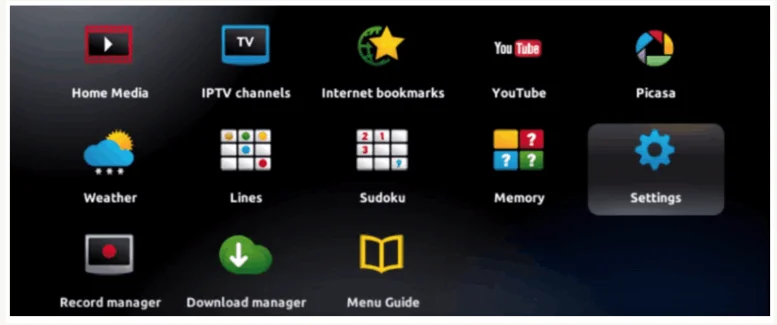
Step 1: When the box is being loaded the main portal screen appears. After that click on “settings”, and press the
remote button “SETUP/SET”.
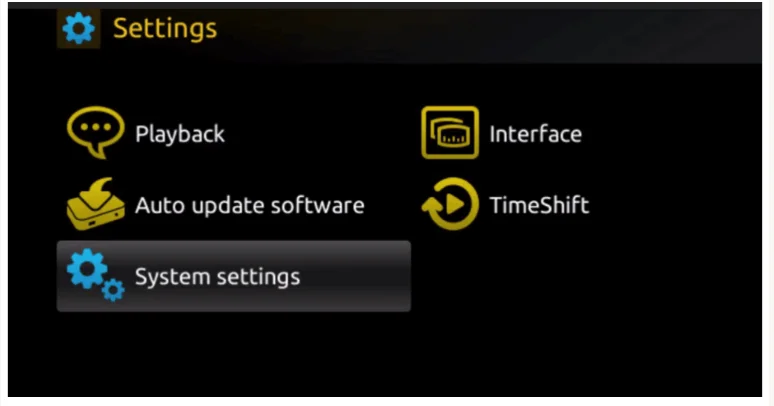
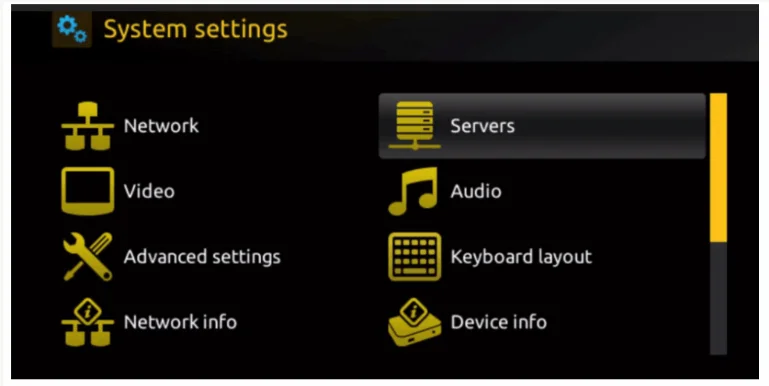
Step 2: Then press on “System settings” and click on “Servers”.
Step 3: Click on ‘Servers’
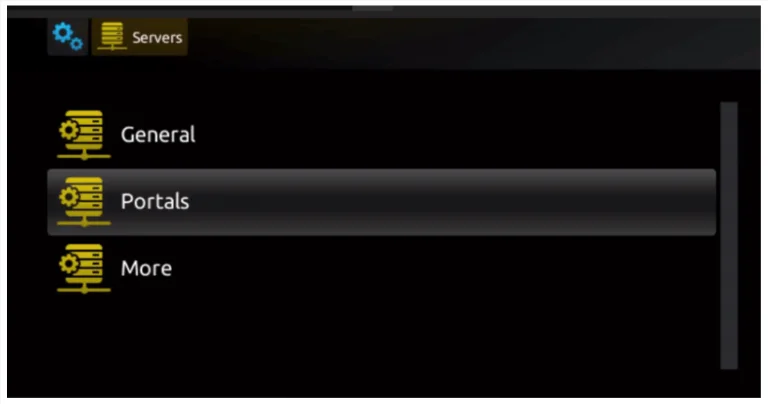
Step 4: Choose and Press option ‘Portals’
Step 5: Choose and Press option ‘Portals’
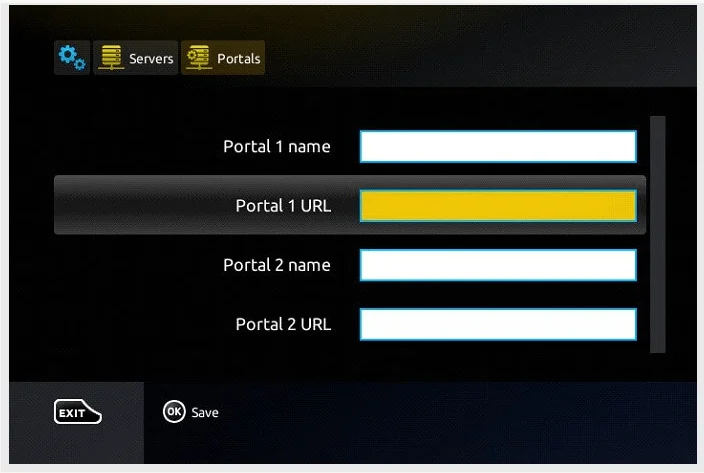
Step 6: In the ‘Portal 1 name’ line enter a portal name and in the ‘Portal 1 URL’ enter portal URL.
Therefore for the activation of our IPTV subscription on your MAG box, you must send us with your order the MAC address found on the label behind the box, the activation is done entirely remotely, just after activation, we will send you a URL link that you have to put on your PORTAL, as in the photo below:
Step 7 – Finally when you complete select and click ‘OK’ to save the changes.
Step 8 – Click ‘EXIT’ on the remote control after the settings are being saved.
Step 9 – Consequently you have to reboot the box. Choose the option ‘OK’ to make the changes applied.
Note: If you still have issues, please take a photo of your Mac address and device key with your phone and send it to our team via EMAIL: contact@8kiptvplayer.com